Every purchase an organization makes eventually lands on a finance desk as an invoice. Someone has to read it, check it against what was ordered and received, chase an approval, and schedule the payment. In many companies that work still runs on email inboxes, paper, and spreadsheets. Finance teams spend their days keying in data and chasing signatures, when they could be managing cash and controls.
Accounts payable (AP) automation replaces that manual work with technology that captures, validates, approves, and pays supplier invoices digitally. Paper disappears, manual data entry falls away, and approvals move faster. Every invoice sits in one system, so finance teams gain transparency over what the organization owes and why. Errors drop, risk falls, and spend becomes visible, which frees finance departments for strategic work instead of repetitive administration.
How Accounts Payable Automation Works
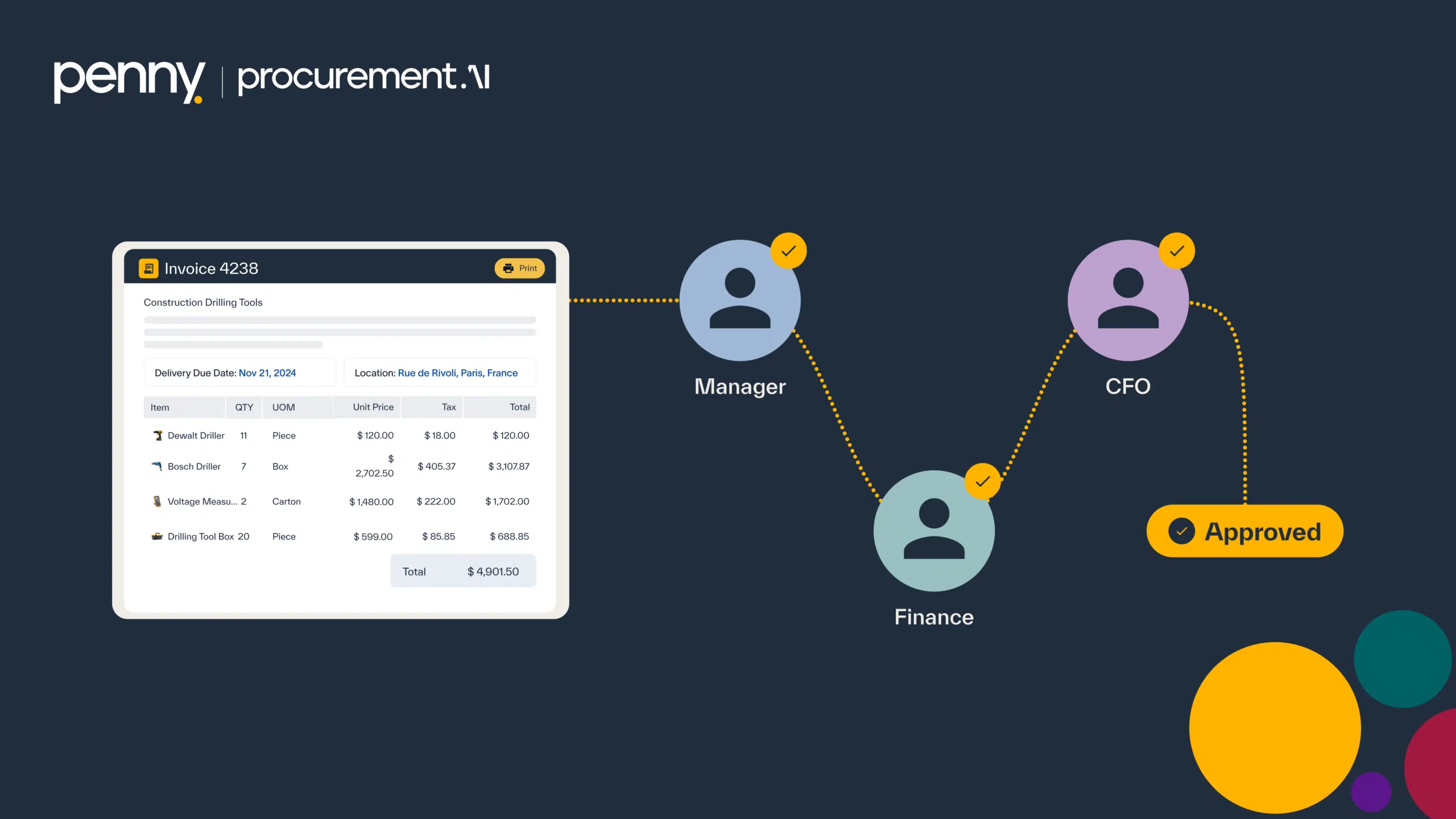
In an automated AP environment, a digital workflow handles the journey from invoice arrival to payment. Suppliers send invoices electronically, by email, through a supplier portal, or via e-invoicing. The system matches each invoice to its purchase order and goods receipt, routes it to the right approvers, and schedules it for payment through an integrated payment system. Every action leaves a log, so each step meets compliance and governance requirements without extra effort.
The process runs through five stages. It starts with invoice capture. Invoices arrive through several digital channels, and the system reads the key fields, such as supplier name, amount, purchase order number, and invoice date.
Validation comes next. The system compares each invoice against its purchase order and receipt. Any discrepancy goes to a reviewer, which protects data accuracy and stops duplicate payments before they happen.
Then comes the approval workflow. Business rules send each invoice to the right approvers by value threshold, department, or project code. Approvers sign off inside the system, and the audit trail records each decision.
Payment processing follows. Once approved, invoices queue for payment through the organization’s ERP or payment system, within its internal controls and scheduling rules.
The final stage is archiving and reporting. Invoice documents and approval history live in a secure, searchable archive. That supports real-time reporting and keeps the organization ready for any audit.
Why Finance Teams Automate Accounts Payable
Efficiency is the first gain. Manual entry disappears, approval cycles shorten, and the back-and-forth between procurement, budget owners, and finance shrinks. Accuracy improves alongside it. Validation and three-way matching catch discrepancies before payment goes out, which prevents costly errors and duplicate spend.
Governance strengthens too. Digital audit trails and configurable controls protect the integrity of every approval and keep the organization compliance-ready. Visibility follows from the same data. Dashboards show finance teams current liabilities, outstanding approvals, and supplier aging, which makes cash flow planning far more reliable.
Suppliers notice the difference as well. Fast, accurate payments build trust, and organizations that pay reliably are in a stronger position to negotiate better payment terms.
How Penny AI Handles Accounts Payable
AP Automation is one of the six core modules in the Penny AI system. It gives finance teams one place to manage invoices from capture through to payment, whether those invoices come from direct orders, contracts, or indirect purchases. Intelligent data extraction reads incoming invoices, and intelligent matching checks each one against its purchase order and goods receipt.
Configurable approval flows send every invoice through the correct chain of authority. Reporting tools let finance leaders track KPIs and audit readiness in real time. Because the module sits inside the wider procurement journey, the purchase orders and receipts it matches against come from the same system. Finance works from the data procurement already created, instead of chasing it across separate tools.
Frequently Asked Questions
What types of invoices can Penny AI process?
Penny AI handles both purchase order invoices and non-purchase order invoices, across direct and indirect spend. Invoices can arrive electronically, by upload, or through the supplier portal, and all of them follow one unified workflow.
How does three-way matching work?
Three-way matching compares each invoice against its purchase order and goods receipt. When the details agree, the invoice moves forward. When they don’t, the system flags the discrepancy for review, which prevents unauthorized and duplicate payments.
Can approval workflows differ by department?
Yes. Finance teams can configure approval routes in Penny AI by department, spend value, project code, or other business rules. Every invoice then follows the correct authorization chain.
Does Penny AI integrate with ERP and payment systems?
Yes. Penny AI exchanges data with major ERP systems and payment gateways. Invoice, approval, and payment information stays in sync, so nobody transfers data between systems by hand.
Can Penny AI support multiple subsidiaries or locations?
Yes. Penny AI supports multi-entity structures. Organizations manage invoices, approvals, and reporting for each subsidiary or location from one central system.
Conclusion
Accounts payable is where procurement decisions turn into cash leaving the business. That makes it the last place errors should slip through, yet in manual processes it is often where they slip through most. An invoice keyed in wrong, a duplicate nobody spotted, or an approval signed without checking the receipt can each cost far more than the time saved by rushing. An intelligent AP process moves those checks into the system itself. Every invoice gets matched, routed, and logged the same way, every time. Finance teams stop acting as data entry clerks and start working as the control function the business needs them to be.